Overview
Lunascope is organized as a set of synchronized panels, or docks.
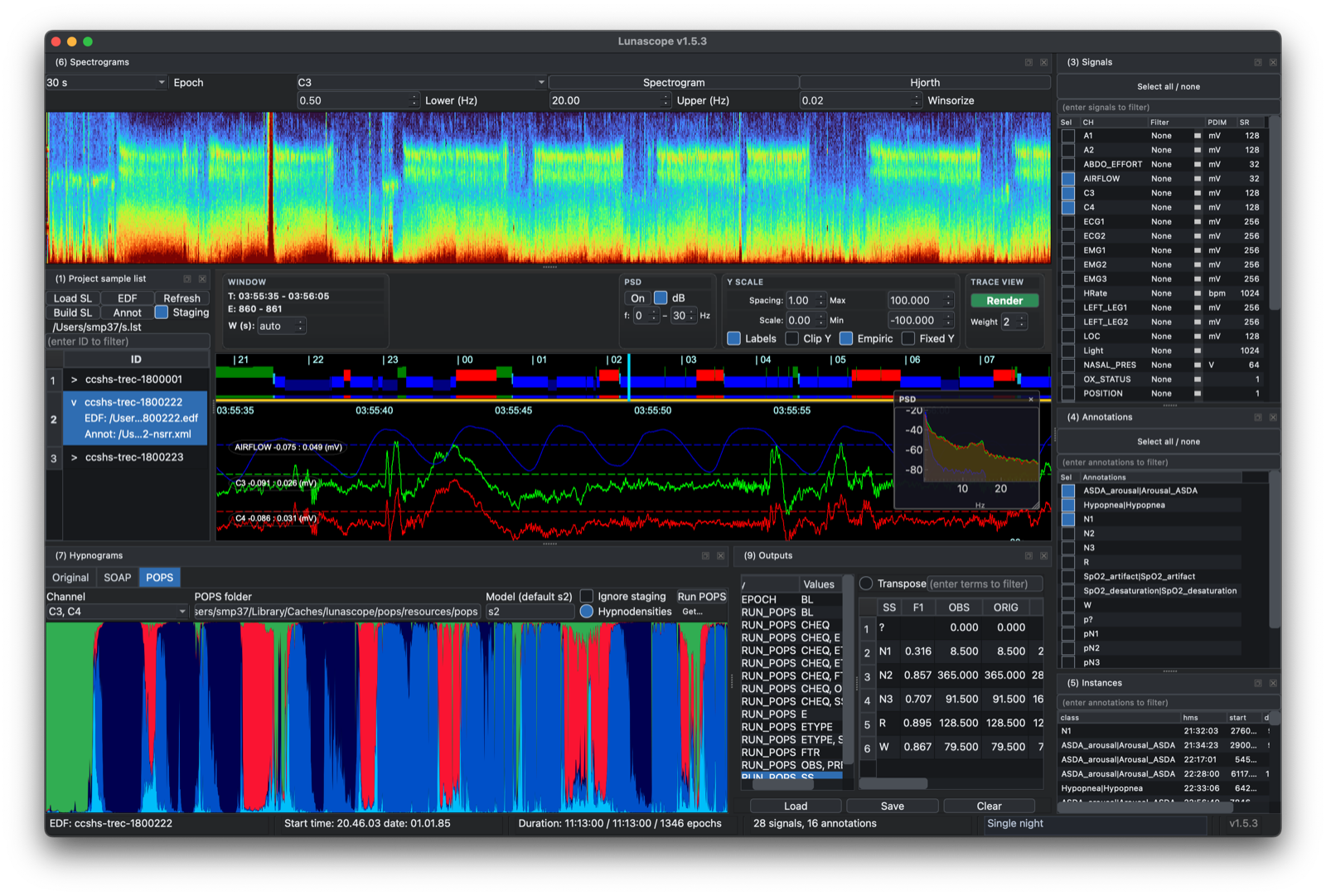
The central signal viewer is always present. Other docks can be shown, closed, detached, or repositioned to match your workflow, whether from the menu, by shortcut, or through a config file. There are also floating docks for multiday actigraphy, NSRR/Moonbeam access, and the multi-tab Explorer.
Lunascope caches the layout of all docks when closing and re-opening.
To quickly return to the default layout, press C-R.
Main menu
Lunascope has a main menu with four tabs: Project, Views, Palettes and About.
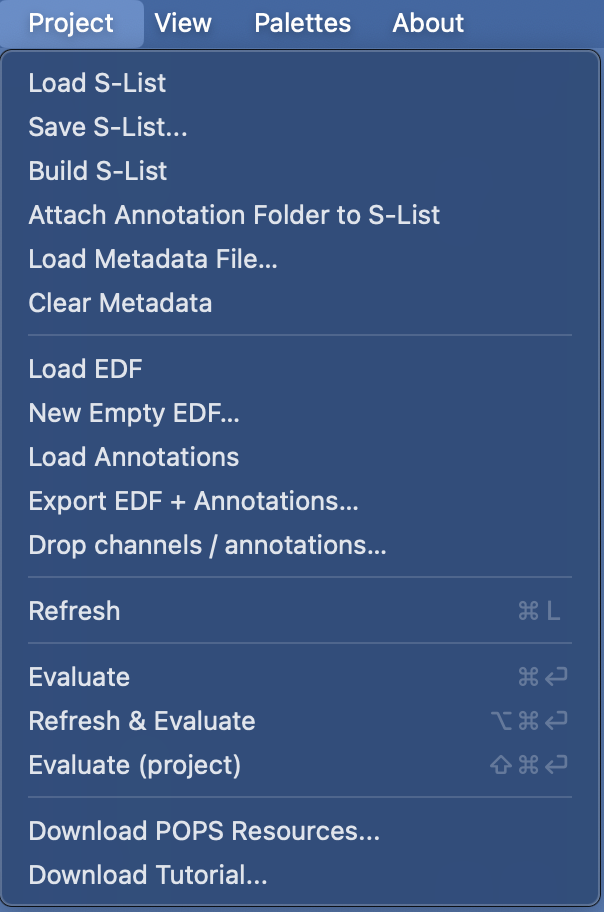
The Project menu contains the main file and session actions: loading EDFs, annotations, or sample lists; exporting or dropping data; refreshing the current record; running project-level evaluation; and saving or restoring sessions. It also includes shortcuts for downloading POPS resources and the tutorial dataset.
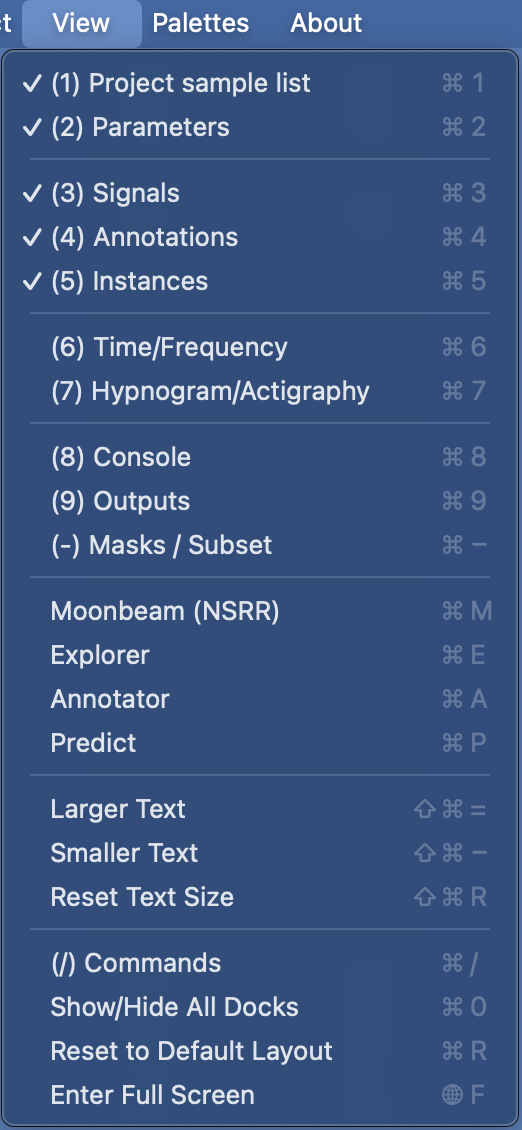
The Views menu shows or hides individual docks, indicates which ones are currently open, and lists the associated keyboard shortcuts. It also provides access to Moonbeam, Explorer, Annotator, the command help dock, a global show/hide toggle for all docks, and fullscreen mode.
Keyboard shortcuts
On Windows and Linux, C means the Control key; on macOS, it means Command. The Alt key on macOS is the Option key.
| Primary docks | |||
|---|---|---|---|
| Sample lists | C-1 |
Hypnograms / actigraphy * | C-7 |
| Parameters | C-2 |
Luna script console | C-8 |
| Signals | C-3 |
Output tables | C-9 |
| Annotation classes | C-4 |
Masks | C-- |
| Annotation events | C-5 |
Command help | C-/ |
| Spectrograms | C-6 |
||
| Toggle signals-only / all-docks | C-0 |
Reset layout | C-R |
| Special modules | |||
| Signal Properties… | C-P |
Annotation Properties… | C-A |
| Toggle Explorer | C-E |
Toggle Moonbeam | C-M |
| Toggle Annotator | C-Shift-A |
Toggle Snapshots | C-Shift-C |
| Cycle modules (forward / back) | C-` / C-Shift-` |
||
| Viewing options | |||
| Increase UI font size | C-Shift-= |
Decrease UI font size | C-Shift-- |
| Reset UI font size | C-Shift-R |
||
| Other functions | |||
| Refresh (reLoad) attached EDF | C-L |
Cancel project evaluation | C-. |
| Evaluate console script | C-RET |
Refresh & evaluate console script | C-Alt-RET |
| Evaluate console script across all EDFs | C-Shift-RET |
* when multiday mode is detected, C-7 switches from the hypnogram dock to the actigraphy dock.
Previous: Installation | Next: Loading/Saving Data