Loading & Saving Data
Inputs
The Project dock supports several ways of loading EDF and annotation data:
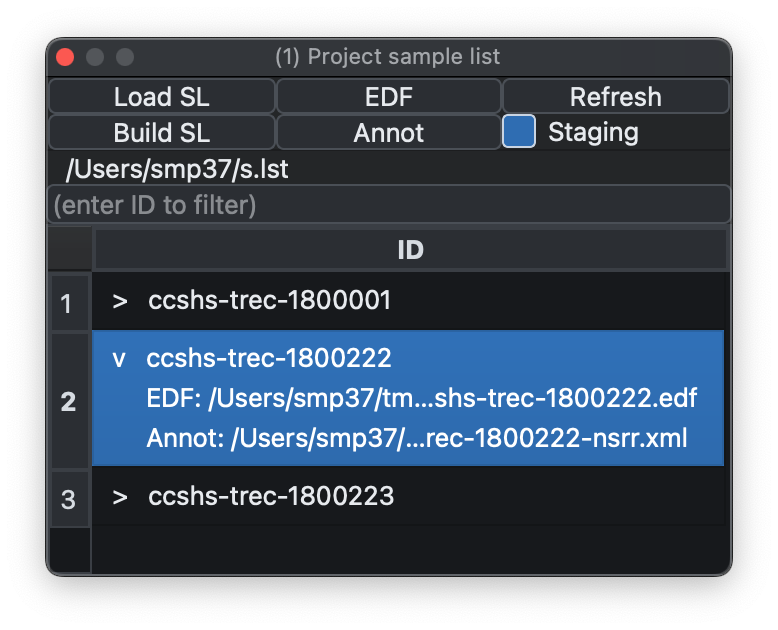
- Load SL loads a sample list.
- Build SL creates a sample list from a folder by finding EDFs and pairing matching annotation files, including
.annot,.xml,.eannot, and.tsvwhen present. - EDF loads a single EDF.
- Annot loads a single annotation file without signal data; the file picker accepts
.annot,.eannot,.xml,.tsv, and.txt. - Refresh (
C-L) reloads the attached record and discards temporary changes such as masking or filtering.
The Project menu also includes:
- Attach Annotation Folder to S-List scans a folder for annotation files and appends matching files onto existing sample-list rows by ID. This is useful when EDFs have already been loaded and annotations arrive as a separate batch or are computed later.
- Save S-List writes the current sample list to disk, including any attached annotation paths added during the current session.
- New Empty EDF creates an in-memory blank EDF with a chosen ID, start time, start date, record size, and number of records. It is useful for building or testing annotation-only workflows without starting from an existing EDF file.
Tutorial data
The Project menu also includes Download Tutorial.... This
downloads the Luna tutorial dataset as a .zip, extracts it into a
folder you choose, and then tries to load the included s.lst sample
list automatically. This is a convenient way to get a known working
example project into Lunascope without building your own sample list
first.
If tutorial.zip or an extracted tutorial/ folder already exists in
the selected location, Lunascope asks before overwriting them. The
download dialog can also be cancelled while the file transfer is in
progress.
Meta-data
The Sample List table can be augmented with key metadata about each observation (e.g. diagnostic status, age, sex, etc), which is displayed when that observation is selected. Metadata does not play any other role within Lunascope/Luna, i.e. beyond simply being displayed in the sample list dock.
The Project menu has two options for metadata:
-
Load Metadata File... loads a TSV (default extension
.tsvor.meta) that assumesIDis the first column -
Clear Metadata clears any currently attached metadata
When loading a sample list named s.lst, for example, if a file
s.meta exists in the same folder, it will be automatically attached
as metadata.
Staging
By default, Lunascope warns if no staging information is present,
meaning annotations mapped to N1, N2, N3, R, W, and ?. If
staging is not expected, uncheck Staging to suppress the
warning.
Selecting individuals
If a sample list contains multiple individuals, select the row you want to view. The filter box above the table can be used to narrow the list to a particular ID or recording.
Exporting data
The Project main menu has an option to Export EDF + Annotations. Selecting that brings up this dialog:
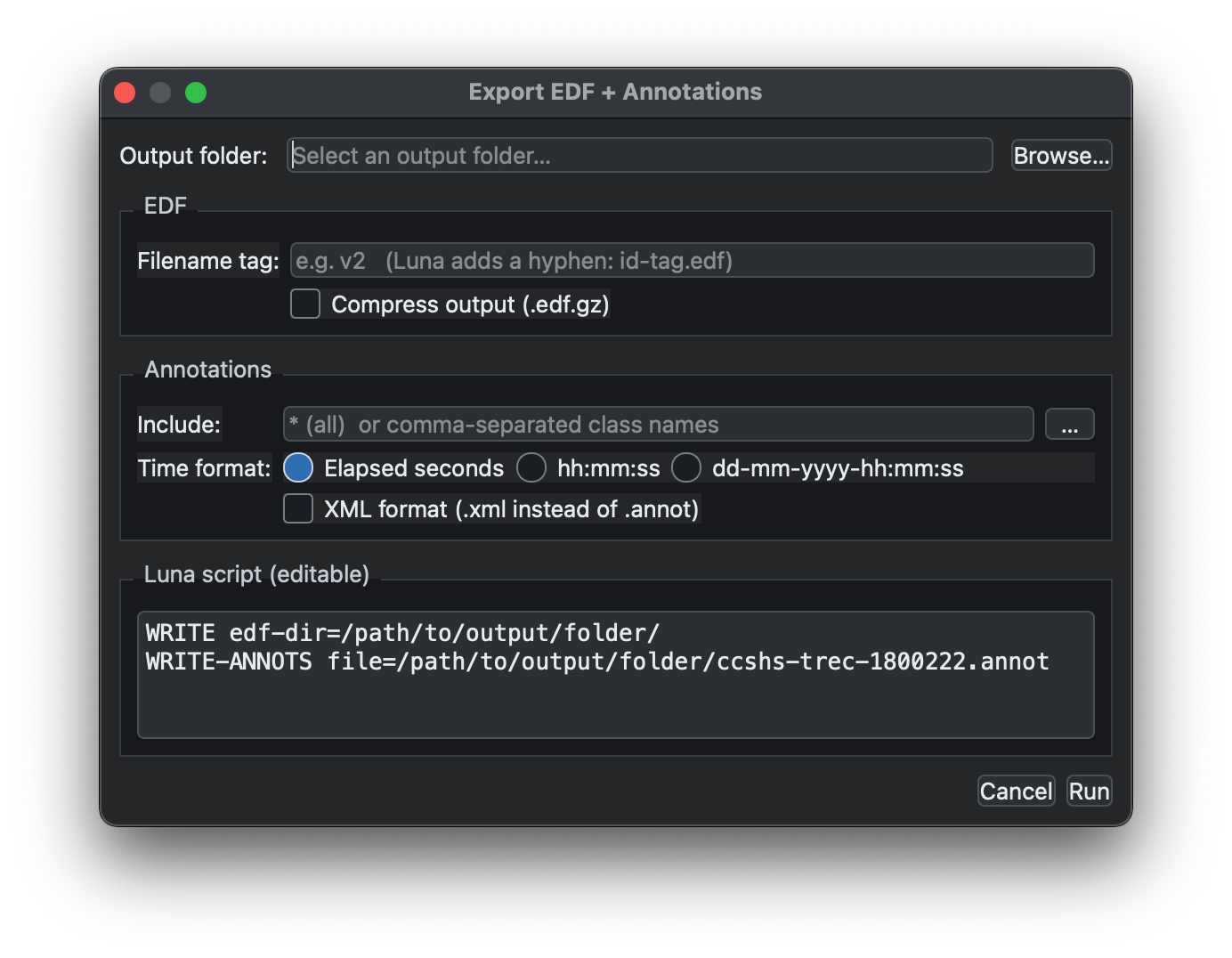
It is essentially a wrapper around two Luna commands (WRITE and
WRITE-ANNOTS) to save the current, potentially modified, version of
the EDF together with all attached annotations, either as a single
unified Luna-formatted file or as XML annotation output.